How to secure crypto assets on exchanges? How to prevent cryptocurrency theft from an exchange?

This is the first part of our article, in which we'll cover all the details that will help you secure your crypto assets on exchanges. In the second part, we'll discuss how to secure your assets outside of exchanges, using wallets.
Many beginners, and even experienced users, often wonder how to best secure their cryptocurrency on exchanges.
In this article, we'll cover all the intricacies and nuances that will help you store your coins more securely.
Our website contains a list of exchanges: with a detailed overview, registration, deposit / withdrawal of funds, verification, reliability of the site itself and more.
BUT REMEMBER! Storing cryptocurrency on an exchange is very risky! It's better to store your cryptocurrency on:
- Official wallet (almost always PC-only)
- Multichain, verified wallet (usually both mobile and PC)
- Hardware wallet - the most reliable
|
How to secure crypto assets |
Comment |
|
Computer check |
Before registering on the exchange, scan your computer for viruses using antivirus software. If your computer is infected, the data you enter on the exchange may be stolen! |
|
Choosing an exchange |
1. Pay attention to how many levels of protection the exchange offers. 2. Choose large, popular exchanges such as Binance, MEXC, and others. 3. Remember that any exchange, even a large one, can be hacked, or the exchange can simply shut down with your money! |
|
Safety |
Use a secure email address (such as Gmail), strong passwords, and 2FA. Don't use the same email address or password for all exchanges. |
|
Registration |
Store your passwords in a secure location (not on your computer), print them out, or copy them onto paper. If your PC is hacked, your passwords will be immediately leaked! |
|
Account protection |
1. Immediately install 2FA on the exchange after registration and save the secret key on paper. 2. Set a PIN code for trading and withdrawals. 3. Also, for additional security, use SMS confirmation (if available on the exchange). |
|
Safety tips |
1. Use multiple devices to scan 2FA (this will help if one of your devices breaks and you haven't backed up the app). 2. Copy the secret recovery code onto a piece of paper. 3. Try not to log into the email linked to the exchange in public places. |
Checking the computer
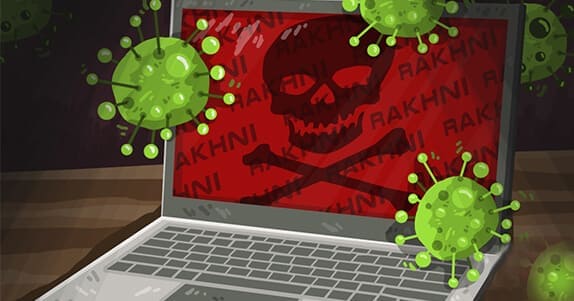
Before registering on exchanges or creating email accounts, it's best to scan your computer for viruses and run a full scan.
When your antivirus reports no threats, proceed to the next steps.
This step is recommended if you're unsure of the security of your computer. If your computer is infected with viruses, your account could be hijacked!
Reliable cryptocurrency exchanges. Choosing an exchange
Let's start with the most obvious – choosing an exchange. Yes, of course, if you want to buy or mine a specific coin traded on one or more exchanges, then this becomes a bit more difficult, as choosing between several exchanges, especially if they all have a less-than-stellar reputation (we're talking about less popular coins). If you need to trade coins in the top 100 by market cap, the choice of exchanges becomes enormous!
You'll need to choose the exchange you trust most, but even then, there's no guarantee that the exchange won't be hacked or scammed and steal all your money.
Throughout the history of cryptocurrency, there have been numerous hacks, crashes, and closures of crypto exchanges! Hundreds of thousands of people around the world have lost their entire savings! Therefore, use an exchange only for trading! And if you want to store coins there, only a small amount, and try to withdraw them as quickly as possible!
If you're storing your coins on an exchange simply because creating wallets on your PC isn't convenient, then install a mobile multi-currency wallet on your smartphone. Setting it up takes just a couple of minutes, and your cryptocurrency will be safe!
List of multi-currency mobile wallets with detailed reviews and analysis of their security and reliability!
Just look at how much money has been stolen and how many people have lost their capital throughout the history of cryptocurrency while storing coins on exchanges:
What should I pay attention to when choosing exchanges?
First of all, you need to look at the degree of security of the exchange itself. It is also necessary to pay attention to the recognition of the platform itself. For example, Finance, one of the largest cryptocurrency exchanges, is heard by almost everyone who is somehow connected with cryptocurrency.
Such an exchange can be partly trusted, but it should be understood that any exchange can go bankrupt, "get bored", steal from users, even which at first glance seems to be the most reliable and the most popular.
However, even such an exchange was hacked!
For example, in October 2018, the ICO Rating company conducted a study in which it checked most of the exchanges for their reliability and security. The analysis was carried out according to the following indicators:
Console Errors
User Account Security
Registrar and Domain Security
Web Protocol Security
Availability of account security levels
Confirmed exchange reserves in case of hacking
In the report, they stressed that many exchanges do not allow you to enter long passwords and limit you to entering a small number of characters, and some even lack 2Fa.
You can read the report here.
Summing up this point, we can say that it is too superficial, try to choose the most popular and most active exchanges.

The next item consists of one rule and one piece of advice.
The rule
The rule is that you need to use the most reliable and most secure mail. One of these is Gmail, and that's what we advise you to use to work with exchanges.
Be sure to create a new mailbox if possible, do not use the old one, especially if "thousands" of some applications, social networks, and so on are tied to it.
Be sure to use a strong password. A strong password means:
- Words with a capital letter
- Numbers
- Signs (!@)
- Non - existent words
The last point is one of the most important, since the attackers have all the existing words in the database, so if you want to secure the mail as much as possible, and therefore the account itself on the exchange, then use a non-existent word.
for example: TheUnmDe@14118ALtgf!
Also, if possible, install 2fa on your mailbox.
Do not visit my email, which is linked to the exchange, in public places, whether it's work, university, or any other public place, for security reasons: there may be viruses on public PCs.
The Council
The advice is that to achieve maximum reliability, do not use 1 email account for all exchanges. Since if the attackers hack the mail, they will not get access to all your exchanges.
For reliable exchanges and those places where you have the most money, use 1 email account for 1 - maximum 2 exchanges. For the rest of the exchanges on which altcoins are located, which are sold only there (only on 1 or several exchanges), use 1 mailbox for 2-4 exchanges.
Registration
The most important part of this item is storing the password and Email. Do not store the exchange's password and mailing address on your computer, for example, in text notebooks.
Since even an experienced PC user can accidentally catch a virus that can steal all passwords. It's not worth taking that risk, especially when it comes to money.
Therefore, print out all passwords and emails in several copies, or buy a notebook and write passwords there.
And the second point, but also important – do not save your account in browser cookies for quick login. Don't be lazy, it's better to take a minute and enter your password and email yourself. Since there have been cases of theft of accounts in this way (with the help of malware).
Account protection
Now the most important thing. After you have registered, it is necessary to secure your account as much as possible, preferably by all the proposed methods.
2 Fa Google
Immediately after registration, go to the account security settings on the exchange and install 2 FA. In the reviews of exchanges on our website, we tell you in detail how to install 2 Fa on the exchange you need.
Remember! If you lose, break or do something else with your phone (tablet), which has 2 FA on it, then restore the password (2fa) You won't be able to anymore.
To avoid this, be sure to rewrite the secret key of restoring your personal 2Fa on paper. This key will disconnect 2Fa from the exchange, in case you cannot enter the 2fa code.
Why is it necessary to copy it on paper, and not save it in a notebook on a computer? The thing is that at any moment, even using the Internet as carefully as possible, you can pick up a virus that will steal data. Therefore, for maximum security, keep all these records on paper.

It is also worth noting that the same QR code that the exchange offers to read for installing 2Fa can be read simultaneously by several devices, if you have them. 2Fa will work the same way on all these devices without conflict with each other.
In this case, you will be able to protect yourself even more, even if something happens to 1 device, you will have 2Fa running on another.
We also recommend printing out the QR code that you read to create 2Fa on your mobile device. In which case, you can always read the code again with another device.
PIN code
Next, it is advisable to set a PIN code for bidding and withdrawal of funds. This degree of protection further secures the account.
The PIN code is invented by you. Depending on the exchange, this is a set of 4 to 6 numbers.
Also be sure to write down the PIN code on paper so as not to lose it.
SMS confirmation
This is configured at will, and on some exchanges it is also a paid service. In this case, in fact, you will make a small verification - tell the exchange your phone number.
Therefore, the first 2 points should already perfectly cope with the security situation.
However, we note that there are a number of exchanges where you just need to enter your phone number to withdraw funds – without it you will not be able to withdraw money.
Conclusion and recommendations
We hope this article has helped you, and you have learned all the most important rules that should not be neglected when storing assets on exchanges.
Note that according to statistics, accounts without 2Fa or with poorly protected mail are most often "hacked".

Now reading


In DePin, people create networks themselves, share traffic or capacity, and receive rewards in tokens from these projects.




The Ellipal firmware update enhances security (fixes vulnerabilities), adds support for new cryptocurrencies and tokens, and optimizes the interface and operational stability.


