CMP 170HX: 1/10 A100 price, 64GB VRAM (OC), 5% brick risk. Worth it?

There are many rumors and outright lies surrounding this card, so let's clarify what these cards are and what the unlock is all about.
Express Verdict: Should You Buy the CMP 170HX?
The CMP 170HX consumes less in Pearl mining compared to the RTX 5090, but mining is risky because the network is shaky, prices jump, and the card brings more on AI tasks.
|
Parameter |
Value |
|
Hashrate |
Pearl delivers 160–165 TH/s, ETC – 160 MH/s |
|
Real power draw |
180–250 W, depends on the power supply |
|
Gross income |
~$1.62/day per card |
|
Net income (at $0.06/kWh) |
~$1.2/day, payback about 2 years at a price of $1200 |
|
Profitability condition |
Electricity rate below ~$0.04/kWh |
|
When NOT to buy |
If the price is above $1500, the Pearl network is volatile, electricity costs are high, noise at 65–70 dB is annoying |
Now let's look at AI performance.
|
Parameter |
Value |
|
VRAM after unlock |
64 GB (only the 8 GB Hynix version) or 40 GB (Samsung – raw) |
|
Price per 1 GB VRAM |
~$19 (A100 ~$100, RTX 5090 ~$150) |
|
Speed relative to RTX 5090 |
1.5–2 times slower, but handles 70B+ models (which the 5090 cannot load) |
|
Power consumption in inference |
~41 W per card (when the model is loaded) |
|
Profitability condition |
You need local 70B+ inference (Llama 3.1, Kimi K3), have Linux experience, price ~ $1200 |
|
When not to buy |
For training (FP32 is weak), if you need Windows, or for renting out – not suitable |
Buying a CMP 170HX makes sense for local inference of large language models or a budget AI cluster. The card can be unlocked via software to 64 GB VRAM (Hynix version, 8 GB) or 40 GB (Samsung version, 10 GB) and beats the A100 in price by 6–7 times.

But do NOT buy it for high‑performance FP32 training, gaming, Windows use, or renting out. If the price exceeds $1500, the appeal drops sharply.
But that’s not all – it's just the verdict. We have thoroughly tested these cards, and below you will learn all the nuances of how they work.
What is the NVIDIA CMP 170HX and why did it become e‑waste?
The NVIDIA CMP 170HX is a professional graphics card with 8 or 10 GB of video memory and a cut‑down processor, released in September 2021 exclusively for Ethereum mining.
For the CMP 170HX, NVIDIA used GA100 dies that were rejected during the production of the A100. Instead of scrapping the rejects, they disabled some CUDA and Tensor cores and cut the memory to 8 or 10 GB.

Unofficially, the 170HX was called a ghost card, and it was supplied by Nvidia directly to large farms. The card was never announced for retail.
Farms bought them for prices ranging from $500 to $5000, but after Ethereum switched to PoS, the CMP 170HX price dropped to $160. That’s a drop of more than 30x, and the card became useless e‑waste.
An unexpected rebirth – unlocking to 64 GB
However, interest in this e‑waste was revived on Chinese websites because of its architecture, which is nearly identical to the expensive NVIDIA Tesla A100 – same substrate, memory, and die.
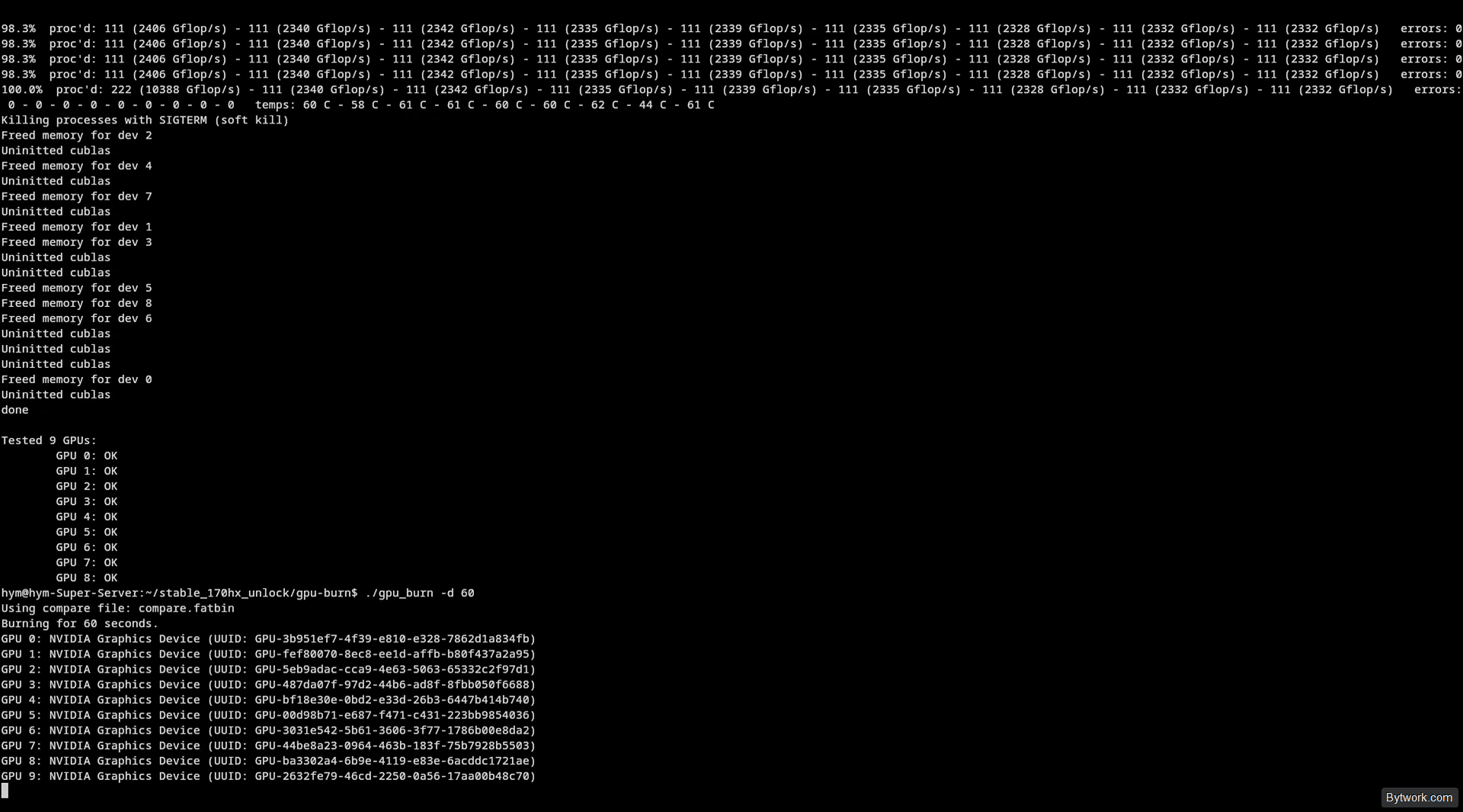
A group of enthusiasts on GitHub unlocked the processor from 1.32 to full power, obtaining 4408 CUDA cores. Then, via a vulnerability in the NVIDIA Falcon security coprocessor, they software‑unlocked the hidden HBM2 memory without re‑soldering chips, since the physical capacity was present on the board.
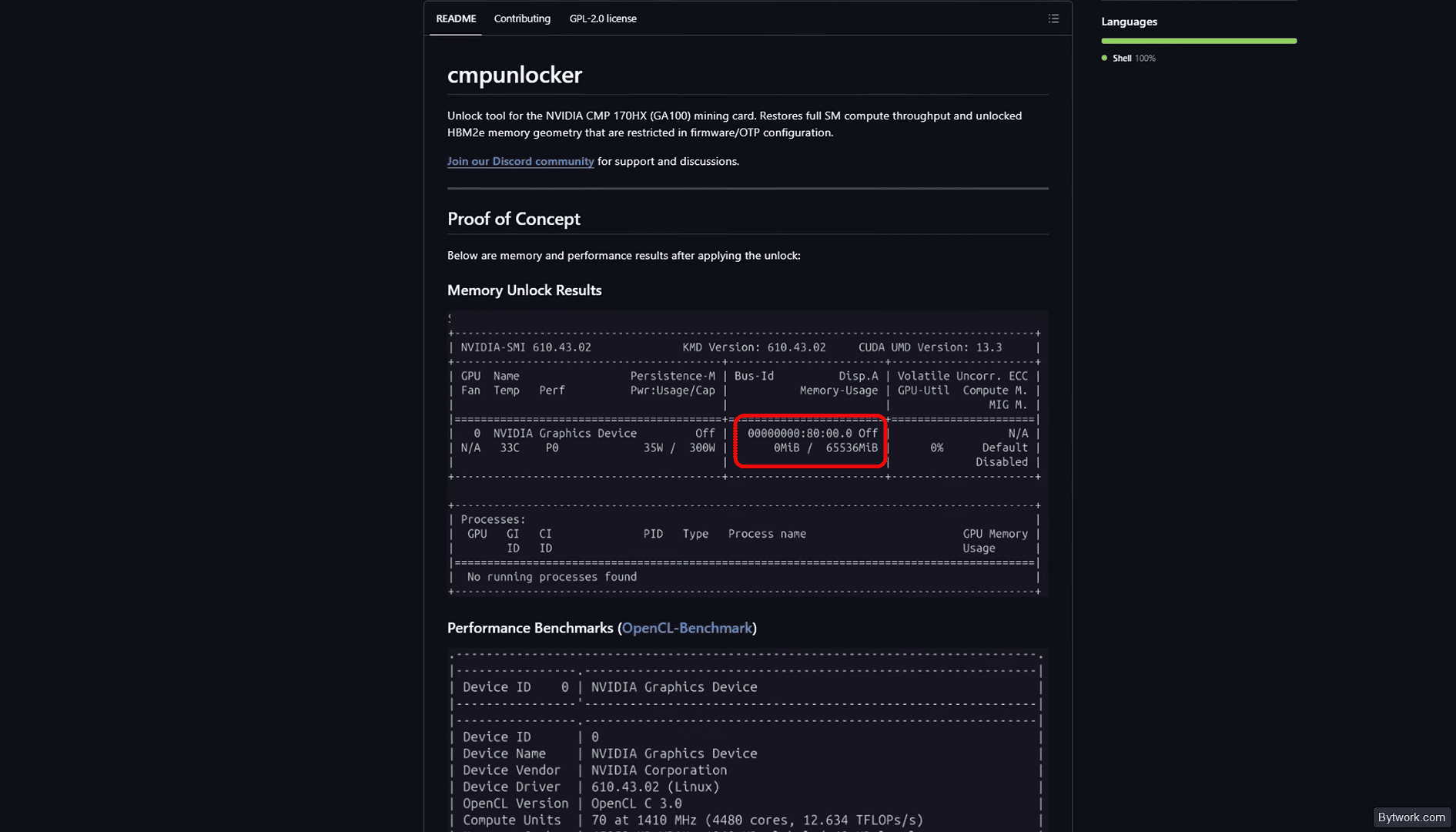
For the 8 GB (Hynix) modification, they stably unlocked 64 GB; for the 10 GB (Samsung) version – 40 GB of VRAM. The unlock works on all recent drivers.
Price surge and hype
After the unlock to 64 GB, the card became gold and was being bought up all over the world.
- On marketplaces the price started at $122–146 and settled at $1095.
- In China it rose from $178 to $1037,
- on eBay in the US from $150 to $1400 – a 6‑ to 10‑fold increase.
But let’s see whether this rise is justified, what pitfalls the unlock has, and who actually needs these cards. Let’s start with the technical specifications.
Specs and comparison with A100 and RTX 5090
For comparison, we took the NVIDIA Tesla A100 40 GB (similar in performance, priced from $4258) and the RTX 5090 32 GB (from $4866). Our hero has chips similar to the A100, while the 5090 uses Blackwell GB202. What does this mean in practice?
|
Parameter |
CMP 170HX (Unlocked) |
NVIDIA Tesla A100 |
RTX 5090 |
|
Architecture |
Ampere (GA100) |
Ampere (GA100) |
Blackwell (GB202) |
|
VRAM |
64 GB HBM2e (Hynix) |
40/80 GB HBM2 |
32 GB GDDR7 |
|
Bandwidth |
1.6 TB/s |
1.6 – 2.0 TB/s |
1.8 TB/s |
|
Interface |
PCIe 2.0 x4 (up to x16 mod) |
PCIe 4.0 x16 |
PCIe 5.0 x16 |
|
CUDA cores |
4480 |
6912 |
21760+ |
|
TDP |
250 W (300 W max) |
250‑400 W |
500+ W |
|
Price |
from $1095 (at peak) |
from $4258 |
from $4866 |
The CMP has twice as much VRAM as the 5090 and 24 GB more than the A100.
How does the CMP 170HX perform in real‑world use?
Let’s run a series of practical tests in mining and LLM inference.
Mining performance: hashrate, profitability, power consumption
In our tests we used the latest version of the WildRig Multi miner – because it has built‑in auto‑unlock and removes the need to run external scripts.
|
Parameter |
Value |
Note |
|
Hashrate (Pearl) |
150–180 TH/s (standard), stable at 160–165 TH/s |
After software unlock; outperforms RTX 4090 in efficiency per watt |
|
Power draw |
Base 250 W, max up to 300 W (BIOS mod) |
Can be tuned to 120–140 W for inference / power saving |
|
Efficiency |
~1.25 W/TH |
25% more efficient than RTX 5090 (1.51–1.65 W/TH) |
|
Profitability |
~$1.62/day gross (on Pearl) / BTX |
Unstable due to network difficulty swings |
Now let’s look at specific coins.
Ethereum Classic (ETC)
In unlocked mode, one card delivers ~160 MH/s at 180 W from the wall. An 8‑card rig brings about $360 per month before electricity.
Net profit at $0.06/kWh – roughly $400/month for the whole rig. Energy efficiency is comparable to or better than the RTX 5000 series.
Pearl
On the Pearl algorithm, the card gives 150–170 TH/s at 200–250 W. For comparison, the RTX 4090 delivers ~200 MH/s on similar tasks but costs 3–4 times more.
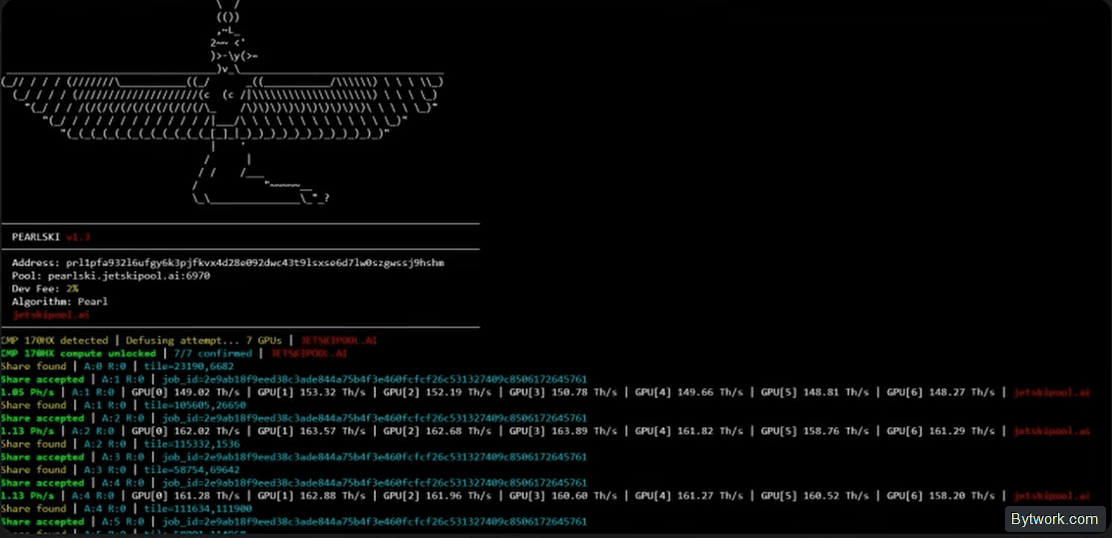
The PEARLSKI miner also includes a built‑in unlocker. Run it in HiveOS or Linux, and the unlock will apply to all cards in the rig at once. After activation, you can turn off the miner, and the unlock remains.
Rental potential
When renting out at $0.20/hour, one card generates $4.80/day. 10 cards at 100% load yield $1400–1500/month.

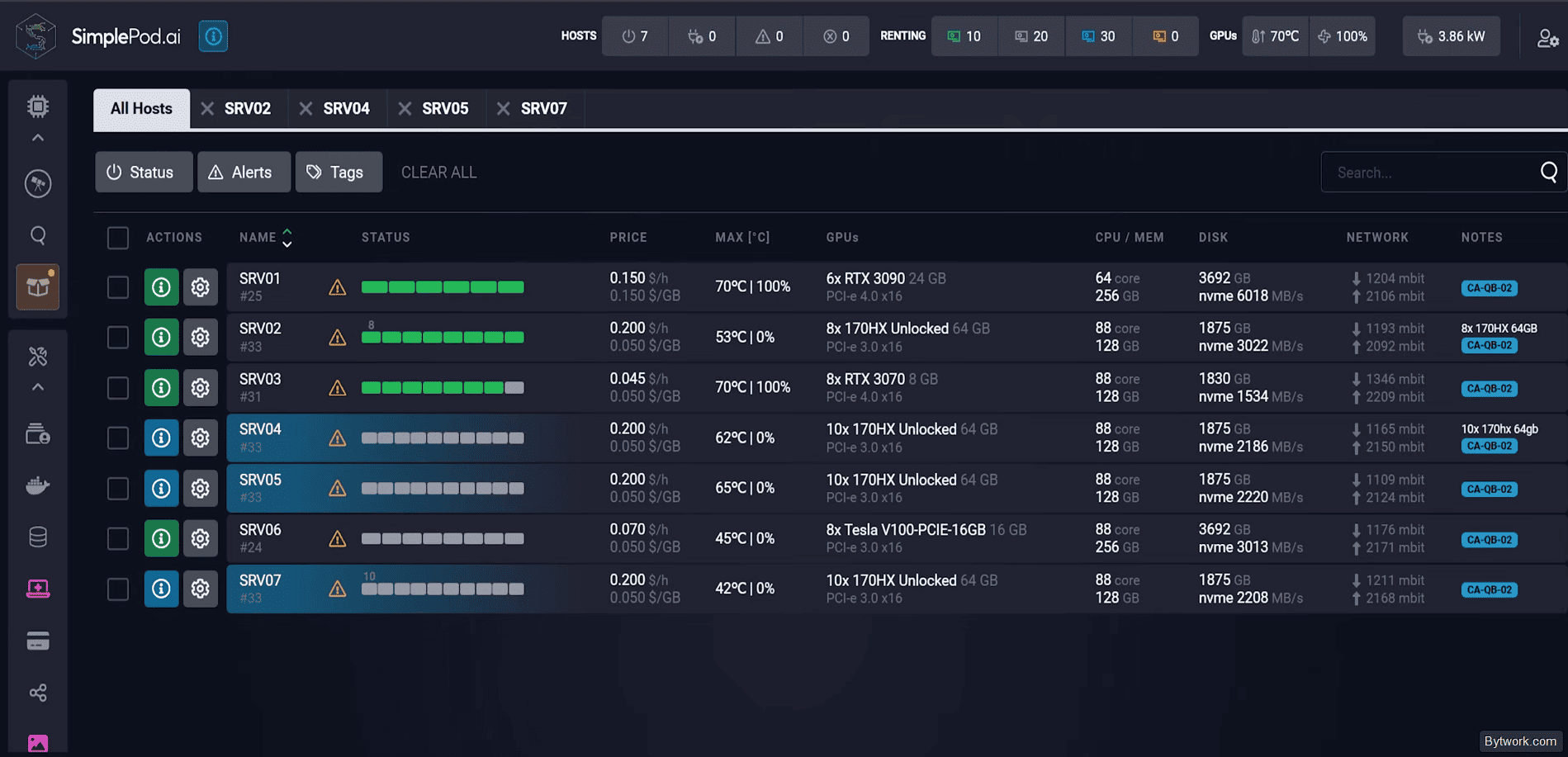
It works in SimplePod. However, in practice, stable demand is not guaranteed because platforms like Vast.ai and Simple Pod do not natively support the CMP 170HX due to its non‑standard device ID and drivers. Clore.ai is working on adding support, but the timeline is unknown.
Performance on large models (Kimi K3)
The unlocked CMP 170HX runs models that consumer cards cannot handle. For example, Llama 3.1 70B parameters do not fit into the 24 GB of the RTX 4090 or 32 GB of the RTX 5090, but load into the 64 GB of the CMP 170HX.

Token generation speed on 8B FP16 models is comparable to the RTX 3090. On 70B+ models, the 170HX is about 1.5–2 times slower than the RTX 5090, but it remains the only budget way to run such a model locally.
|
Model (LLM) |
Config |
CMP 170HX efficiency |
Limitations |
|
Llama 3.1 (8B) |
FP16 / BF16 |
On par with RTX 3090. |
Limited by Tensor core speed. |
|
Llama 3.1 (70B) |
4‑bit / 8‑bit |
Outperforms RTX 5090 because the model fits entirely in VRAM. |
RTX 5090/4090 require model sharding (offloading). |
|
Kimmi K3 (2.8T) |
Cluster of 28‑32 cards |
High (inference ~1.5x slower than RTX 5090 at 10x lower price). |
Requires 1.8 TB total VRAM. |
|
Claude (Private) |
Docker container |
Stable operation (tested 18 h under load). |
Requires custom VLM versions for stability. |
When building a server with 10 cards of 8 GB (unlocked to 64 GB), you get 640 GB of total VRAM. This is enough for distributed inference of models weighing 500+ GB via pipeline parallelism. After fully loading the model into memory, the card consumes about 41 W per GPU, memory usage is 60–75%, and the CPU is almost idle.
Cluster cost: CMP 170HX vs A100 and 5090
We know there are many numbers and your head is spinning, so here is a clear cost calculation for a server stack for the newest and most powerful model, Kimi K3 (excluding server costs, e.g., Single Road).
GPU stack cost:
- CMP 170HX – $27,372
- A100 – $190,998 (7x more expensive than CMP)
- RTX 5090 – $273,723 (10x more expensive than CMP)
Response generation efficiency:
- RTX 5090 provides only 30‑40% more speed compared to the CMP.
- A100 beats the CMP by only 5‑10% thanks to NVLink and PCIe x16 (which become unnecessary with quantization and
pipeline parallelismtuning).
In the end, the CMP 170 leads in return per dollar invested for running large models.
Temperatures and cooling
At 250 W TDP and with server fans blowing, core temperatures stay at 65–75 °C, HBM2E memory up to 85 °C. When power is unlocked to 300 W, temperatures rise by 8‑10 °C, requiring stronger airflow.
VRAM is the hottest component and can reach 95 °C. Without forced airflow, the card hits thermal throttling (85 °C) in just 20 seconds.

At idle, the card draws ~41 W, memory usage is 60‑75%, and temperatures remain safe.
For home rigs, use cases with forced airflow. Reverse the fans to exhaust if the stock setup is intake – this reduces HBM2E memory chip temperatures.
Noise
Noise level depends entirely on the cooling system. In a server rack with 80×80 mm fans at 10,000 RPM, noise reaches 65‑70 dBA – comparable to a running vacuum cleaner.
For home use, such a card is UNACCEPTABLE without cooling modification (liquid cooling or slow‑speed fans with loss of efficiency).
The only effective way to manage noise with air cooling is to move the rigs to non‑living spaces (garage, shed, basement).
Package contents
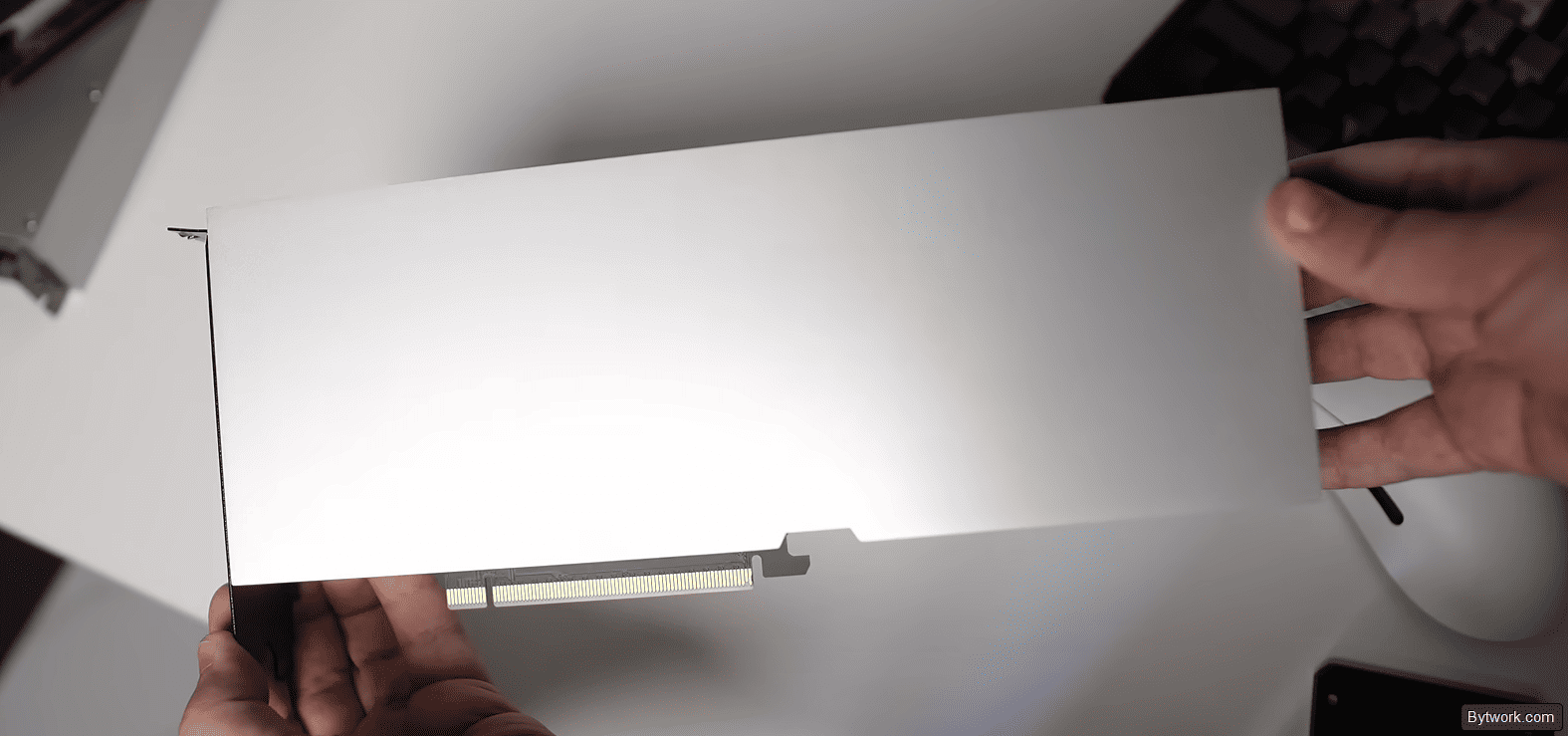
There is no official retail package – cards were supplied directly to mining farms. In most cases, you will receive only the card itself in an anti‑static bag. Occasionally the seller adds a power adapter (8‑pin EPS to 6+2‑pin PCIe), but that is rare.
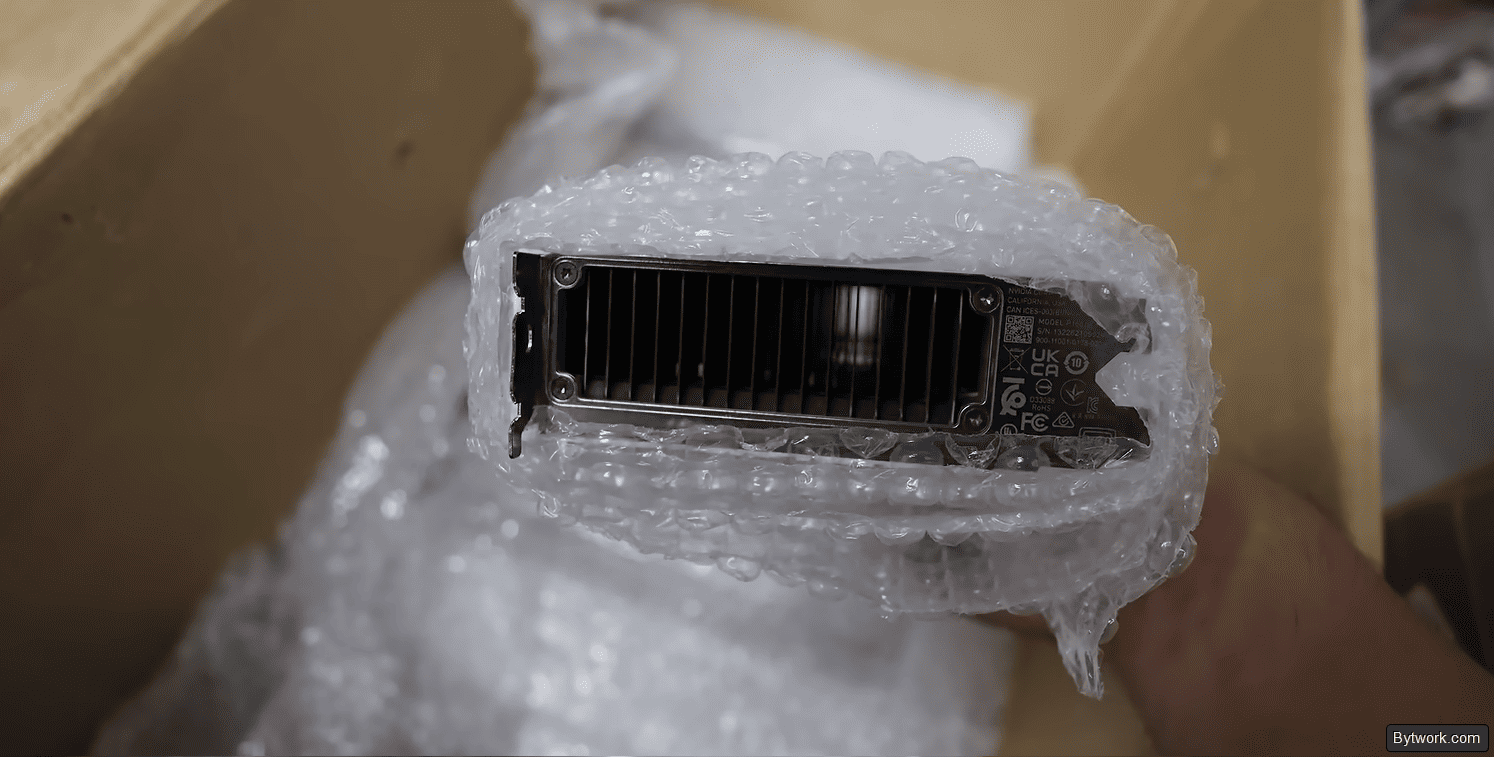
What else do you need to buy?
- High‑quality server fans or a case with forced airflow.
- A power supply with headroom – calculate 250‑300 W per card plus 150‑200 W for the platform.
- A server or mining motherboard with enough PCIe slots.
Drawbacks of the CMP 170HX
Windows support is still absent. In practice, using the CMP 170HX in Windows is possible but with strict limitations and mandatory driver‑modding crutches. However, 95% of large‑model work is done on Linux anyway.
NVLink support could not be unlocked (developers say work is ongoing), and we have a modest PCIe 2.0 x4, although leaks suggest a high chance of achieving x16.
|
Drawback / Risk |
Specific data |
|
No video outputs |
No HDMI, no DisplayPort |
|
Passive cooling |
No fans of its own, thermal throttling hits in 20 seconds if not force‑aired at home |
|
Non‑standard power |
8‑pin CPU (EPS) connector, not the usual 8‑pin PCIe, so you need adapters for standard PSUs |
|
Bus bottleneck |
PCIe 1.0/2.0 x4 interface – loading a 400 GB model can take 20 minutes |
|
Flimsy build |
I/O shields often bend, capacitors can be easily damaged when installing in tight server cases |
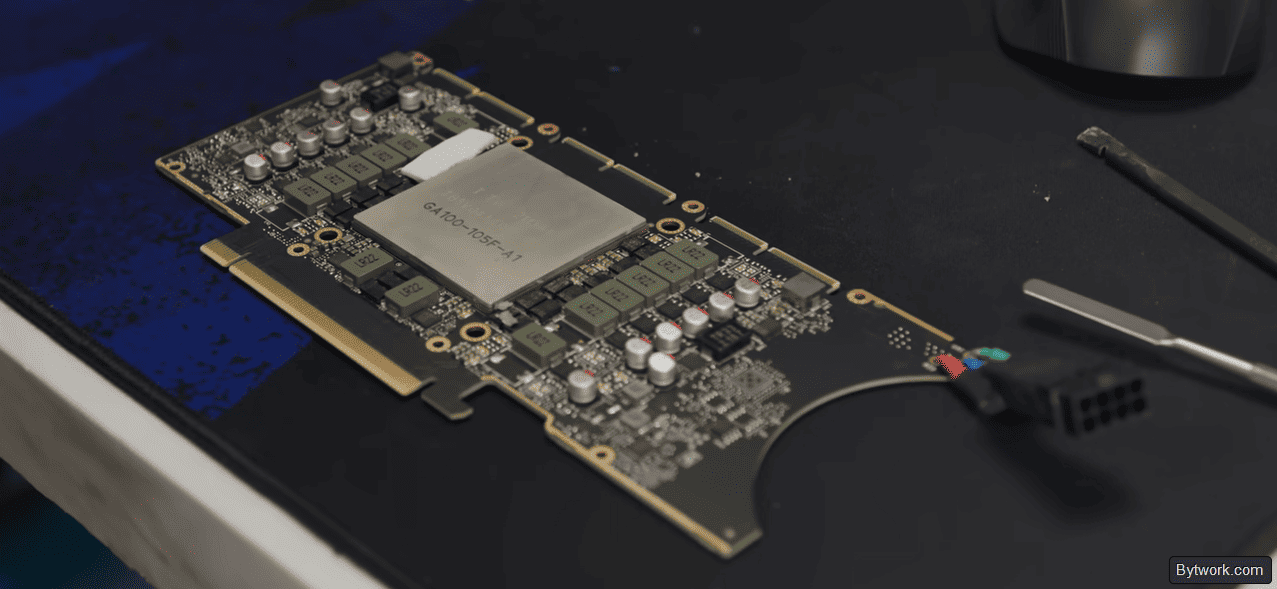
And that’s not all. There are also risks with chip quality.
|
Drawback / Risk |
Characteristics |
|
Rejected chips |
Rejected GA100 dies (from Tesla A100), reduced CUDA and Tensor cores, sometimes defective HBM2e blocks |
|
Instability when unlocking VRAM |
10‑GB versions (Samsung) become finicky when trying to expand to 80 GB |
|
Memory errors |
Appear when writing large files – you must test with |
|
Need to downclock |
For stable unlocked memory, you often have to drop frequencies to 40% of stock |
From the operational side, things are not all rosy either.
|
Drawback / Risk |
Details |
|
Can’t get it to work on Windows |
95% of unlock and heavy LLM software is written for Linux (Ubuntu) – on Windows it just doesn’t start |
|
Configuration is a quest |
Requires specific open‑driver versions (e.g., 580.159.04), custom kernels, and self‑written scripts |
|
AI software headaches |
Constant CUDA errors, Docker and UVM issues; cards forget to release VRAM after process termination – need to reboot the system |
|
No ECC and NVLink |
Memory error correction (ECC) is hardware‑disabled, and you can’t link GPUs via NVLink |
When running heavy models (VLM), the cards sometimes do not free the occupied memory pool after killing the process. This can lead to OOM errors on the next initialisation – the only solution is to reboot Docker or the whole host.
Finally, AI and mining work is also not stable.
|
Drawback / Risk |
AI and mining |
|
Price bubble |
Price pumped from $150‑200 to $1200‑3000 on the AI hype wave |
|
Sellers scam |
Resellers (especially from China) massively cancel paid orders at old prices to resell higher |
|
Rental is tough |
Large platforms (Vast.ai) do not certify these cards; you can rent only on niche platforms (Simple Pod, Clore.ai) |
|
Mining manipulation |
The Pearl (PRL) network is vulnerable to MoE exploits, which could instantly kill profitability |
|
Infernal noise |
Server fans howl so loud that earplugs are mandatory; living in the same room with a running rig is not an option |
However, you can build a top‑tier system for video generation, photo, complex math, and giant contexts without limits or censorship, using a stack of one to five cards.
Overclocking and extra capabilities
Moving on to overclocking – the CMP 170HX has a BIOS that raises the card’s power limit from 250 to 300 W, giving a 13% performance boost.
Also, if you tweak memory overclocking without damaging the card, you can increase bandwidth from 1.6 TB/s to 1.9 TB/s – that’s RTX 5090 level.
|
Parameter |
Stock value |
Max / Overclock |
Note |
|
Core clock |
1470 MHz |
1695 MHz |
Hardware limit; offset up to +325 MHz. |
|
Memory clock |
1728 MHz |
1917 MHz |
Bandwidth increase of 12.3%. |
|
Power limit |
250 W |
300 W |
Requires BIOS modification. |
|
Bandwidth |
1.6 TB/s |
1.9 TB/s |
RTX 5090 level. |
|
TF32 compute |
6.2 TFLOPS |
94.1 TFLOPS |
15x boost after unlock. |
Replacing thermal pads with 2.0 mm ones is a must – otherwise memory overheats to 95 °C and throttles. At 300 W, GPU temperature reaches 79 °C, and you have to run server fans at full blast.
Q&A about the CMP 170HX
The CMP 170HX is surrounded by many myths and speculations, so let’s clear them up through practical use of this card.
Selection, setup, and market situation of the CMP 170HX
- Which version of the CMP 170HX is better for AI – 8 GB or 10 GB?
-
8‑GB cards are reliably unlocked to 64 GB VRAM, while 10‑GB ones are capped at ~40 GB and perform weaker. Choose the 8 GB version.
- Is it stable to use the full 80 GB VRAM?
-
No, our tests show errors when using all 80 GB. It’s better to test with a smaller amount (e.g., 40 GB) until you find stable settings.
- How do you unlock the card, and do you need soldering?
-
VRAM and PCIe unlock are done via a software script in Ubuntu – no soldering required. However, full x16 unlock (to remove the bus bottleneck) requires a hardware mod. The latest software raises PCIe Gen 2 bandwidth to 2 GB/s.
- Why does the CMP 170HX beat the RTX 5090 on large models?
-
For a 70‑billion‑parameter model, the 170HX outruns the 5090, while the 4090 and 3090 cannot even run it due to lack of VRAM. The main advantage is large memory capacity and bandwidth, not just raw compute.
- How much have prices risen, and what is a fair price?
-
The price jumped from $300 to $1400–1500, with some sellers asking up to $4000. A reasonable price, in our estimate, is around $2000 – the market hasn’t settled yet.
- Performance comparison with the RTX 5090
-
According to tests, the 170HX is about twice as slow as the RTX 5090. However, the available VRAM – 64 GB vs 32 GB on the 5090 – gives an edge in large language models that don’t fit in the competitor’s memory.
Operation and power consumption
- What errors occur when running 170HX on Simple Pod?
-
You encounter Docker, CUDA, NVM, and UVM errors; farms suddenly drop off. Memory on the cards is not freed after force‑killing AI processes – a Docker restart is needed.
- How many watts does the card actually draw, not per documentation?
-
It pulls 170‑180 W per card with a quality PSU (measurements from the wall). With a weak PSU, about 390‑400 W for two cards.
- Is it worth aggressively overclocking the CMP 170HX to increase earnings?
-
We don’t recommend it. At current card prices ($1216‑1338), overheating and failure would cost more than any possible gain. It’s wiser to keep power draw at 180 W.

Profitability
- How much can you actually earn by renting out a 170HX?
-
In practice, one card at $0.20/hour for 18 hours gives $31. With 10 cards at full load – about $48 per day, or ~$1400‑1500 per month. Income fluctuates with demand stability.
- What is the real daily profitability of one CMP 170HX?
-
~$1.50 at 160 MH/s and 180 W. On 8 cards – about $360 per month, after electricity – ~$400.
- What is the power consumption in inference mode?
-
When the model is loaded and running inference, one GPU draws about 41 W, even though the rated TDP is 250 W. This allows operating the cards in energy‑saving modes without additional cooling.
Drivers and hashrate
- Which drivers are needed for unlocking the CMP 50HX?
-
You need versions 610.4303 and 6.10 (the second for Hive). A temporary unlock method is required.
- What is the real hashrate of the CMP 50HX after unlock?
-
Actually delivers 47 MH/s on Micron memory and up to 49 MH/s on Samsung.
Final verdict: to buy or not to buy?
The card costs around $1095 on the secondary market. Is this price reasonable, given that it’s used and has an unofficial unlock? The answer is clear – for both home servers with 1‑5 cards and large clusters, we see a 6‑7x difference in cost per GB compared to the A100 with similar performance.
In which cases does it make sense to buy:
- For AI inference at home. Only take the 8‑GB versions (Hynix). Make sure the seller doesn’t cancel the order and target a price below $1200. After receiving, unlock via software, run
memtest_vulcan, and load models up to 64 GB. - For Pearl/ETC mining. The card pays for itself if electricity is cheap (below $0.036/kWh). Run the auto‑unlock via the Pearlski miner and monitor temperatures.
- For large clusters. Estimates show – the CMP 170HX costs 6‑7 times less than the A100 per GB with comparable bandwidth. For this reason, it is the best budget option for running giant models (Kimi K3, Llama 3 70B+).
- Pass on it if you are not ready for manual tinkering with settings, if you need guaranteed stability and Windows support, or if you plan to train models from scratch.
Always yours, Maksim Anisimov for bytwork.com.


